How to Create your Own AI Animation
A step by step guide to creating your own AI animation

🎬 How I Turned Myself Into a Talking Cartoon Character with AI (Step-by-Step Tutorial)
You’ve seen those cute animated characters online talking like real people and now you want one too? Say less. In this blog post, I’ll walk you through exactly how I created a full-body talking cartoon version of myself, using free and low-cost tools powered by AI. You don’t need any fancy video editing skills, just a little creativity and some internet.
✅ TL;DR – Quick Checklist
- Generate cartoon image in ChatGPT using GPT-4 Vision.
- Animate your character with audio in Hedra.
- Remove background in CapCut using Chroma Key.
- Export and post your masterpiece online.
🧠 Step 1: Generate Your Character Image with ChatGPT GPT-4o model
I started with ChatGPT using GPT-4o model. And then did the following:
-
Uploaded a reference image of a cartoon style I love (I used Lizzie McGuire as my inspo).
-
Uploaded a picture of myself.

-
Sent this prompt:
Transform my photo into a full-body Lizzie McGuire-style cartoon character with thedistinctive early 2000s Disney Channel animation style. Use bright colors, slightlyexaggerated features, and clean lines. The character should have my facial featuresbut stylized with large expressive eyes and a simple nose. Include a full body posesimilar to the show's style with proportions that are slightly elongated.Add clothing that matches early 2000s fashion trends but incorporates my personal style.Use a simple, soft-colored background similar to the show's aesthetic.Make the background green for easy removal later.💡 Pro Tip: Ask the model to place the character on a green screen background so you can easily remove it later.
It’s okay if the image isn’t perfect on the first try. Just regenerate until you’re happy with the result. When you’re done, click Download to save your character image to your computer.
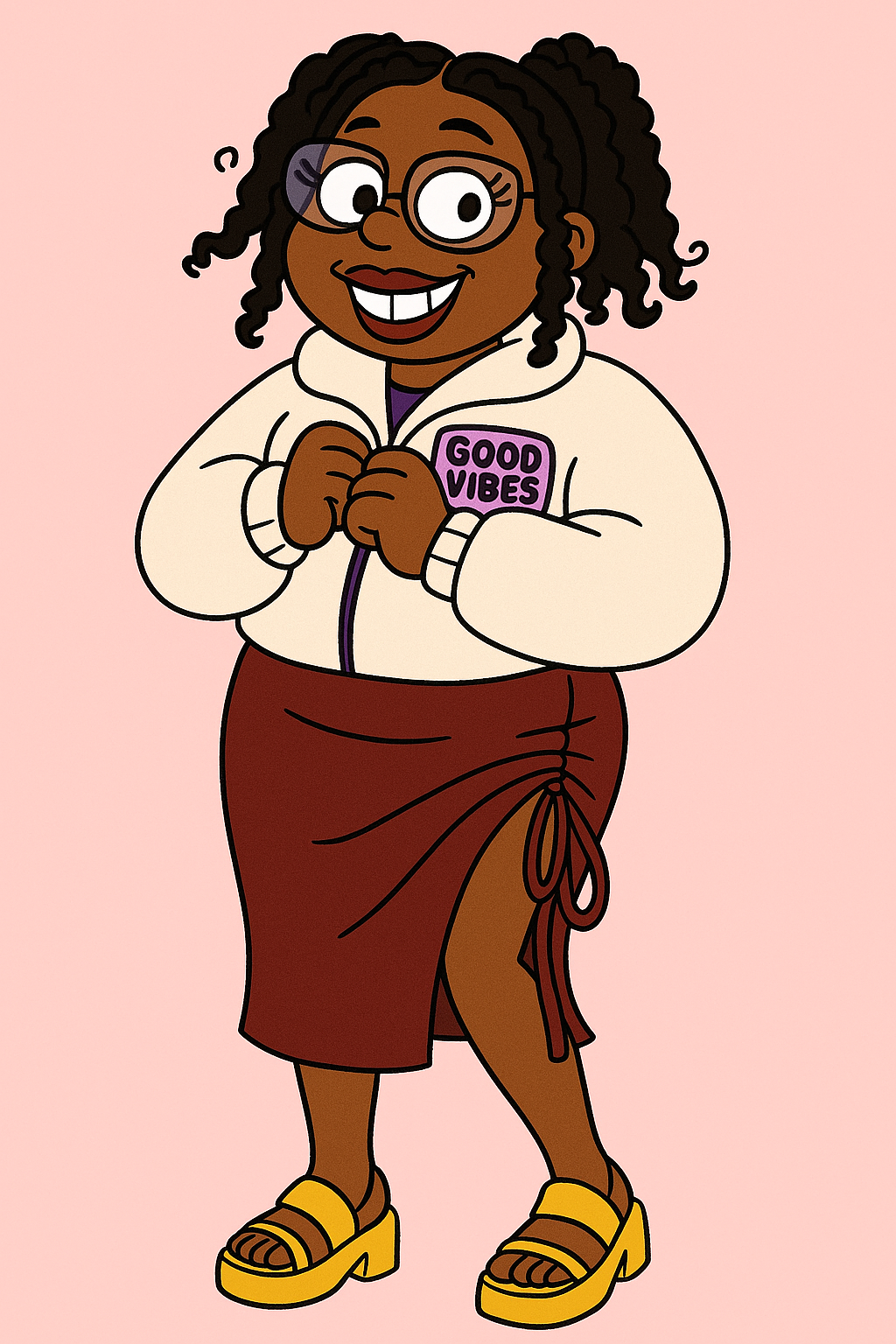
Here’s what I got:
🔊 Step 2: Create the Talking Animation in Hedra
Now that you’ve got your character image, it’s time to make it talk using Hedra.
Here’s what to do:
- Head to Hedra on a laptop or computer (not mobile).
- Upload the cartoon image you just downloaded.
- Upload your audio or record in Hedra.
- Choose the video size (1:1 or 9:16 is perfect for social).
- Enter what you want your character to do - like what motions you want. For example I entered:
character should be giving full sass, joy, and hype energy- Hit Generate and wait a few minutes.
Once it’s ready, download the animated video. You’ll now have a version of your cartoon character talking on a green screen. Magic.
Here’s what I got, press play to see the animation:
✂️ Step 3: Remove the Green Background in CapCut
Now we’re going to make it look polished by removing the green background.
- Open CapCut on desktop and import the animated video.
- Drag the video to the timeline.
- Click the video layer → click Remove Background.
- Toggle Chroma Key, then select the green color with the eyedropper.
- Boom! Your character is now floating on a transparent background and ready to be placed anywhere.
You can add music, other clips, or resize your character. Want her to pop in dramatically? Shrink her and slide her onto the screen. Want to match voice and movement? Trim or loop the clip as needed.
📤 Step 4: Export & Share Your Video
Once you’re happy with the final edit, click Export in CapCut and save the video to your computer.
Now you can upload it to:
- Instagram Reels
- TikTok
- YouTube Shorts
- Your blog or website
Tag me so I can hype you up!
💥 Bonus: Make Your Character Look Like Your Favorite Cartoon
Want to switch things up? You can generate a new character image that mimics the style of your favorite cartoon—whether that’s:
- The Proud Family
- Powerpuff Girls
- Rick and Morty
- Bratz
- Or even a custom anime look
Just upload a reference image of that cartoon’s style and tweak your prompt accordingly:
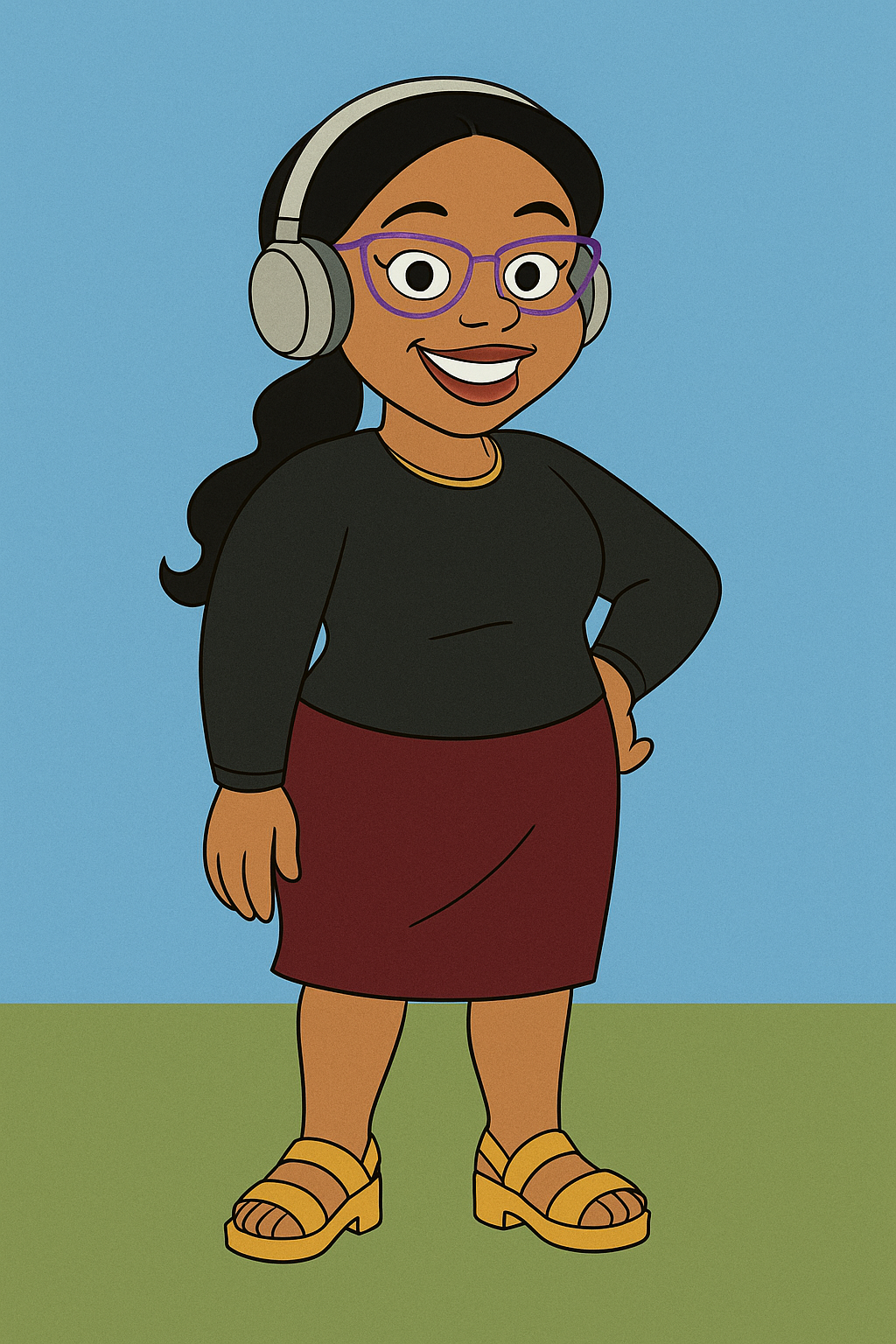
Transform my photo into a full-body cartoon character in The Proud Familyanimation style. Use the distinctive Bruce W. Smith character design with boldoutlines, slightly exaggerated features, and the show's signature color palette.Character should have expressive, almond-shaped eyes, simplified facial features,and smooth curves. Create proportions with a slightly larger head-to-body ratiolike in the show. Include full-body pose showing my distinctive features but stylizedin The Proud Family's unique Y2K animation aesthetic. Clothing should reflect my personal style while incorporating the show's fashion sensibilities. Place character on a simple background reminiscent of the show's environments with flat colors and minimal details.This is me if I was an aunty in the Proud Family:
💡 You can also generate character sprite with ChatGPT for your animation. I used this prompt:
Generate a character sprite for the proud family cartoonAnd got this output:

Use the new image in Hedra and follow the same steps! And just like that, you’re the star of your own cartoon.
Let me know if you try this out! I’d love to see your creations!
Until next time, keep creating and having fun with AI! 💕
Kedasha
-
AI Agents Explained: From Chatbots to AI Employees
-
5 AI Courses You Can Finish This Weekend
-
What Is Vibe Coding? A Beginner's Guide to Building Apps With AI
Related Posts:
Written by

Kedasha Kerr
Software Developer
in Chicago
I write about building with AI.
Let's stay connected! 💕
Get the next post delivered to your inbox and follow me on Instagram for daily AI tips and coding content.
See you on Instagram!